I was causing an AI traffic jam every single day and I had no idea.
AI was supposed to save us all this time right? That was the whole promise! The future is here, everything is
faster now, woopdee doo!
Except I started to realize I was actually working slower than before. I was spending more time typing out things
for AI to use than AI was spending helping me. The future was here and it was somehow worse.
Then one day I got output back from a meeting summary I typed up and thought "it sounds like the AI wasn't even
there!" And it hit me. The AI wasn't in the meeting! I was expecting it to produce gold from my toddler-level
retelling of what happened.
I'd been blaming AI for bad output when my input was... (dare I say it)... slop. My slop. I was the problem the
whole time.
So instead of wasting time typing up my sad little summaries, I just started giving AI the actual source
material. Meeting recordings, transcribed. Training videos, transcribed. Videos I couldn't download, captured and
transcribed while they played. The full, unfiltered, every-word-included context. Not my paraphrased memory of
it.
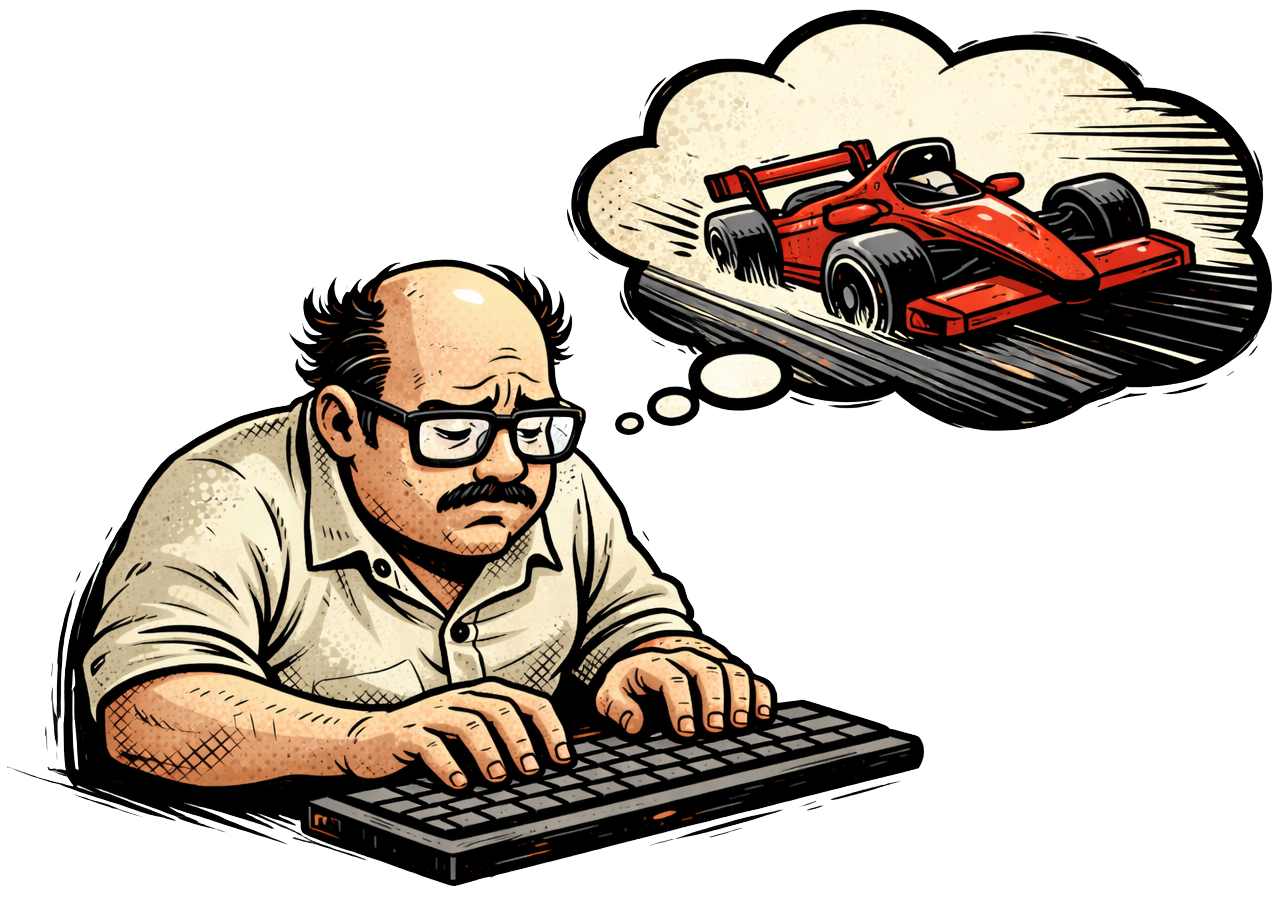
The first time I gave AI a fully transcribed meeting instead of my notes, it was like driving a Corvette for the
first time after riding a rusty bicycle your entire life. (My mom wouldn't let me get my license until I was 30.
So yeah, I know the feeling all too well...) You just sit there going wait. WAIT. We could have been going this
fast THE WHOLE TIME??
That's why I built Ramble. It converts audio files, video files, and even live system audio into text. So you
can clear the traffic jam, get out of AI's way, and finally see what it can do when it has the full picture.
AI is ready to go 200mph. I was the guy in the left lane going 40 with the hazard lights on. Now, let's just say
I moved to Germany for the Autobahn. (Not really. But I'm considering it.)
Seriously curious though. For anyone using AI regularly, how much of your time is actually using AI versus
preparing context for AI? Because I think that ratio was way more embarrassing for me than I ever wanted to
admit.
- Mack 🏎️
















Social Copy Samples
I chose LinkedIn, X, and Meta ads because each platform requires a fundamentally different approach to social copywriting, and I wanted to show that I understand each platform's quirks, not just in theory but in practice.
LinkedIn rewards storytelling and fresh angles. The best brand accounts do not describe their product over and over. They find new ways to angle the same content pillars for years. I wrote a post that could be post #433 on Mack's account, not post #1.
X rewards trending formats that evolve quickly. One of the most effective right now is the research-backed breakdown thread. I leaned into that format to show I can write tight, data-driven content that relates back to the product.
Meta ads reward conversion-focused copy with testable hook variations. So I wrote three different angles that funnel into one shared body to show how paid social actually gets optimized in practice.
All three stay within the Ramble brand but adapt to the preferences of each platform and their users.
Social Post 1: LinkedIn
Mack 🏎️
Built Ramble. Just ramble. We handle the rest.
I was causing an AI traffic jam every single day and I had no idea.
AI was supposed to save us all this time right? That was the whole promise! The future is here, everything is faster now, woopdee doo!
Except I started to realize I was actually working slower than before. I was spending more time typing out things for AI to use than AI was spending helping me. The future was here and it was somehow worse.
Then one day I got output back from a meeting summary I typed up and thought "it sounds like the AI wasn't even there!" And it hit me. The AI wasn't in the meeting! I was expecting it to produce gold from my toddler-level retelling of what happened.
I'd been blaming AI for bad output when my input was... (dare I say it)... slop. My slop. I was the problem the whole time.
So instead of wasting time typing up my sad little summaries, I just started giving AI the actual source material. Meeting recordings, transcribed. Training videos, transcribed. Videos I couldn't download, captured and transcribed while they played. The full, unfiltered, every-word-included context. Not my paraphrased memory of it.
The first time I gave AI a fully transcribed meeting instead of my notes, it was like driving a Corvette for the first time after riding a rusty bicycle your entire life. (My mom wouldn't let me get my license until I was 30. So yeah, I know the feeling all too well...) You just sit there going wait. WAIT. We could have been going this fast THE WHOLE TIME??
That's why I built Ramble. It converts audio files, video files, and even live system audio into text. So you can clear the traffic jam, get out of AI's way, and finally see what it can do when it has the full picture.
AI is ready to go 200mph. I was the guy in the left lane going 40 with the hazard lights on. Now, let's just say I moved to Germany for the Autobahn. (Not really. But I'm considering it.)
Seriously curious though. For anyone using AI regularly, how much of your time is actually using AI versus preparing context for AI? Because I think that ratio was way more embarrassing for me than I ever wanted to admit.
- Mack 🏎️
Social Post 2: X Thread
@mackrambles
I went through 10+ AI productivity studies from 2024-2025 and I can't stop thinking about it.
AI is making experienced workers slower. And almost nobody realizes it's happening to them.
Here's what the research actually says 🧵
@mackrambles
A 2025 METR study gave experienced developers their usual tasks, half with AI tools and half without.
The AI group predicted AI would make them 24% faster. It actually made them 19% slower.
But here's the wild part. After the study (after being literally slower) they STILL believed AI had made them faster.
@mackrambles
Why were they slower?
The developers already understood their projects deeply. AI didn't. So every time AI produced something, the developers had to spend time correcting, re-prompting, and editing output that was close but wrong.
All because AI was missing context the developers had in their heads.
Like getting a draft back from a teammate who skipped the briefing. Fixing it took longer than just doing it themselves.
@mackrambles
An MIT Sloan study found something that should change how everyone thinks about this.
Half of AI performance gains come from model upgrades. The other half comes from the quality of context you feed it.
People keep upgrading to the newest model expecting miracles. The research says you'd get the same, if not more, improvement by upgrading your inputs.
@mackrambles
MIT's NANDA report looked at 300+ enterprise AI projects. 95% failed to deliver results. The #1 barrier wasn't budget. Wasn't talent. Wasn't the technology.
It was missing context.
AI wasn't getting enough information to actually do good work. Starting to see a pattern here?
@mackrambles
The pattern across every single study is the same.
It's not an AI quality problem. It's an input quality problem.
People give AI their half-remembered, hastily typed version of things and then blame the model when the output feels generic. The model is doing its best with what it got.
The overwhelming conclusion is that we need to completely rethink what "giving AI context" means.
@mackrambles
Here's why we keep falling into this trap.
Your brain processes roughly 11 million bits of information per second. Tone, body language, what was said, what wasn't said, how it connects to last week's conversation, what it might mean for next quarter.
All of it. Passively. Without trying.
AI doesn't have this superpower. And based on every study I looked at, we're terrible at providing enough context for them.
@mackrambles
The MIT Sloan research points to the fix.
If half of AI performance is input quality, then the highest leverage thing you can do isn't learning better prompting frameworks.
It's to simply ask yourself: if I hired someone new tomorrow and gave them only what I just gave AI, could they do good work?
If the answer is no, neither can AI.
@mackrambles
Practically, this means stop summarizing from memory.
Meeting happened? Give AI the full transcript, not your typed recap. Training video? Transcribe it.
The METR developers were slower specifically because they had context AI didn't. Close that context gap and the output changes completely.
@mackrambles
Give AI the source material, not your description of it.
Sales call. Webinar. Recorded presentation. Transcribe the actual audio instead of paraphrasing it afterwards.
AI with a full transcript vs. AI with your typed summary is not a fair matchup. No matter how detailed your notes are, it's not even close.
The research backs this up across every study I looked at.
@mackrambles
This is basically all Ramble does btw.
It converts audio files, video files, and live system audio into text that you can give to AI as full context.
The less you paraphrase, the more context you give, the better everything gets.
Garbage in, garbage out has always been true. We just forgot it applies to us too. 🏎
@mackrambles
How are you currently getting context into AI? Typing everything out? Copy-pasting docs? Using transcripts? Drop your method. I want to know what's actually working for people.
Social Post 3: Meta Ad
Hook Variation 1: Speed
The average person wastes 370+ hours per year typing when they could be talking.
That's 46 full workdays. Gone.
You type at about 40 words per minute. You speak at 150. That's 3.75x slower on every email, every AI prompt, every meeting recap, every Slack message.
You're producing the slowest version of your thinking and you do not even notice because everyone around you is doing the same thing.
Meet Ramble. One app. Four ways to stop working the slow way.
Speech to Text (just talk, Ramble writes)
Audio/Video Files to Text (drag, drop, done)
Live System Audio to Text (if your computer can hear it, Ramble captures it)
Text to Speech (listen instead of read)
One app. All platforms. Runs locally. No subscription.
$29 once. No minute caps. No "upgrade to unlock." Because life's too short to work in the slow lane.
Click below to test drive Ramble.
Hook Variation 2: AI Context
95% of AI projects fail.
Not because the tech is bad. Because we're feeding it slop instead of full context.
Stop typing half-remembered summaries. Start giving AI full transcripts, full recordings, the full picture.
Bad AI output is not an AI problem. It is an input problem. And the fix takes less time than typing.
Meet Ramble. One app. Four ways to stop working the slow way.
Speech to Text (just talk, Ramble writes)
Audio/Video Files to Text (drag, drop, done)
Live System Audio to Text (if your computer can hear it, Ramble captures it)
Text to Speech (listen instead of read)
One app. All platforms. Runs locally. No subscription.
$29 once. No minute caps. No "upgrade to unlock." Because life's too short to work in the slow lane.
Click below to test drive Ramble.
Hook Variation 3: Pricing
Most transcription tools charge $10-30/month and only do one thing. I'm over it.
Otter does meeting transcription. Speechify does text-to-speech. MacWhisper only works on Mac.
None of them do all four directions of text and speech conversion, on every platform, locally on your machine.
So I stopped paying monthly for tools that each solve 25% of the problem.
Meet Ramble. One app. Four ways to stop working the slow way.
Speech to Text (just talk, Ramble writes)
Audio/Video Files to Text (drag, drop, done)
Live System Audio to Text (if your computer can hear it, Ramble captures it)
Text to Speech (listen instead of read)
One app. All platforms. Runs locally. No subscription.
$29 once. No minute caps. No "upgrade to unlock." Because life's too short to work in the slow lane.
Click below to test drive Ramble.