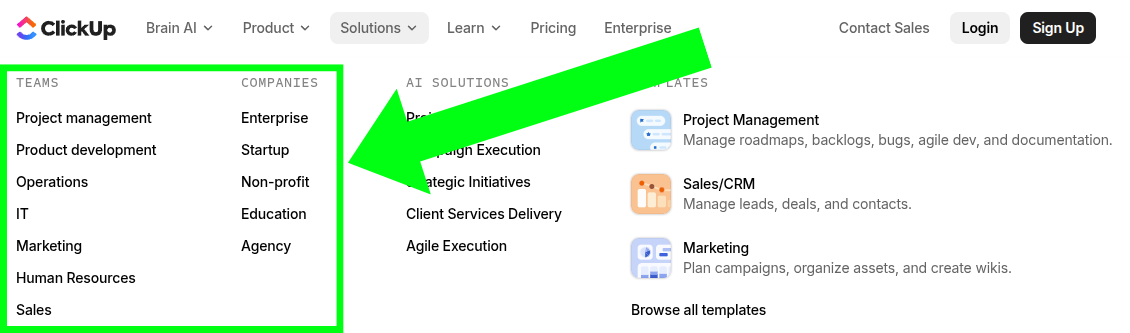
ClickUp already segments their product pages by audience (marketing teams, HR, IT, etc.), but when I looked at AI
Super Agents, that segmentation hadn't happened yet. So I used that opportunity to create these Marketing-segmented AI
Super Agent spec pieces!
Below you'll find a marketing-specific landing page, three product adoption emails across different lifecycle stages,
and the strategic thinking behind both. Everything was written to feel native to ClickUp's existing brand, voice, and
site architecture.
Start of Landing Page
AI Super Agents - Marketing Landing Page
A segment-specific landing page built for marketing teams evaluating AI Super Agents.
Super Agents
Marketing just got superpowers,
with AI Super Agents.
AI AGENTS FOR END-TO-END CAMPAIGN EXECUTION
The future of marketing is human + agent
Maximize marketing output and impact with agentic teammates - @mention, assign tasks, and message them
directly. Choose what they work on, when they work, and how - always improving with infinite knowledge
and memory.
WHY MARKETING TEAMS STRUGGLE TO ADOPT AI
Adoption vs. Adaptation
Most AI tools ask your team to change how they work. Marketing does not have time for that.
AI Adoption
AI Adaptation
You change your workflow. New tools. New tabs. New systems to maintain.
AI works inside your workflow. Lives where campaigns already run. No extra tool sprawl.
Generic output. AI does not know your briefs, dependencies, approvals, or past launches.
Context-aware execution. Full context of your tasks, docs, timelines, and history.
Content without coordination. AI writes drafts, but they get lost in handoffs and approvals.
An experimental risk. Adoption stalls. Productivity slows. ROI disappears.
Built-in momentum. Adapts from day one. Improves with feedback. Scales naturally.
When AI adapts to your team, it does not just generate content.
It executes campaigns from planning to launch to post-mortem and everything in between.
Campaign chaos, handled
Marketing demands superhuman abilities. Humans have limits.
Approvals stall waiting on "one last review."
Handoffs break down between content, creative, and launch.
Assets scatter across tasks, docs, and threads.
Blockers surface after deadlines have already slipped.
Updates take hours to compile manually.
Reporting becomes a weekly scramble.
Post-mortems disappear and the next campaign starts from scratch.
Approvals stall waiting on "one last review."
Handoffs break down between content, creative, and launch.
Assets scatter across tasks, docs, and threads.
Blockers surface after deadlines have already slipped.
Updates take hours to compile manually.
Reporting becomes a weekly scramble.
Post-mortems disappear and the next campaign starts from scratch.
Super Agents remove those limits and amplify what your team does best.
AN EXECUTIVE ASSISTANT FOR EVERY TEAM MEMBER
Ship 2x more campaigns without growing headcount
Head of Marketing
Get real-time summaries of campaign health, blockers, performance trends, and workload without chasing
updates across endless meetings, Slack, or status decks.
Full visibility. Zero guesswork.
HOW IT WORKS
Marketing workflows run by Super Agents
BUILD
Build out a campaign with one prompt.
Turn a campaign brief into a team-wide execution plan. Tasks, timelines, owners, and dependencies generated
in minutes - inside the workspace your team already uses.
Featured Agent: Campaign Builder Agent
PLAN
Keep every project on track automatically.
Strategy is only as good as the follow-through. Super Agents monitor timelines, flag blockers, and deliver
real-time progress updates to every stakeholder without a single status meeting.
Featured Agent: Blocker Escalation Agent
COLLABORATE
One workspace. Zero confusion.
Handoffs are where campaigns break down. Super Agents consolidate feedback, route reviews, and keep handoffs
clean across content, creative, lifecycle, and web so work never gets stuck waiting.
Featured Agent: Approval Coordinator Agent
EXECUTE
Launch-ready assets in seconds.
Super Agents generate full drafts, creative assets, and campaign deliverables - grounded in your briefs,
past launches, and brand voice - so your team ships faster with less rework.
Featured Agent: Campaign Copy Agent
ANALYZE
Turn every campaign into a reusable playbook.
Post-mortems get cut under pressure. Super Agents make sure they happen anyway - summarizing results,
capturing decisions, and storing what worked so every launch builds on the last.
Featured Agent: Campaign Insights Agent
[MEET YOUR SUPERHUMAN MARKETING TEAM]
Agents built for how marketing actually works
Every marketing team runs on workflows that are 80% the same and 20% uniquely yours. Super Agents handle
both. Deploy pre-built agents in minutes, customize them to your process, or build your own.
←→
Agents built for how marketing actually works
Campaign Status Agent
Monday updates - automated.
Every Monday at 8 AM, it scans tasks, docs, comments, and deadlines across your campaign workspace and
posts a complete health summary - including blockers hiding in threads no dashboard shows.
You stop building the update.
Leadership stops waiting for it.
Creative Brief Agent
Briefs - built in minutes.
Approval Manager
Handoffs - airtight.
Launch Health Agent
Deadlines - protected.
Weekly Executive Report Agent
Reporting - handled.
Marketing intelligence that compounds
AI without context does not execute.
AI without memory does not improve.
01
Memory
Nothing your team learns gets lost. Super Agents remember recent activity, team preferences, and long-term
performance patterns - building institutional memory that gets smarter with every campaign.
Q4 does not start from zero. Wins compound. Mistakes do not repeat.
Agentic Security
Built for Enterprise Marketing Teams
Implicit and Explicit Access
Custom permissions keep agent actions aligned with workspace governance.
INTEGRATIONSSHARINGPERMISSIONS
SUPER KNOWLEDGECAPABILITIESENGAGEMENT FUNCTIONALITY
Audit everything
Every action is fully traceable for security, compliance, and operational review.
Zero data retention. Zero training.
Your marketing data is never used to train public AI models.
Reflection loops
Advanced execution loops ensure agents reflect on work before acting and involve humans when judgment is
required.
SUPER FAIR BILLING POLICY
When we optimize, you save $
When our teams save on AI costs, we pass them onto you. When sudden increases in AI costs occur as a result of
new models or other changes, we subsidize the cost so you do not see any sudden increases on credit usage.
Super Agent
PRICE PER CREDIT
$0.001
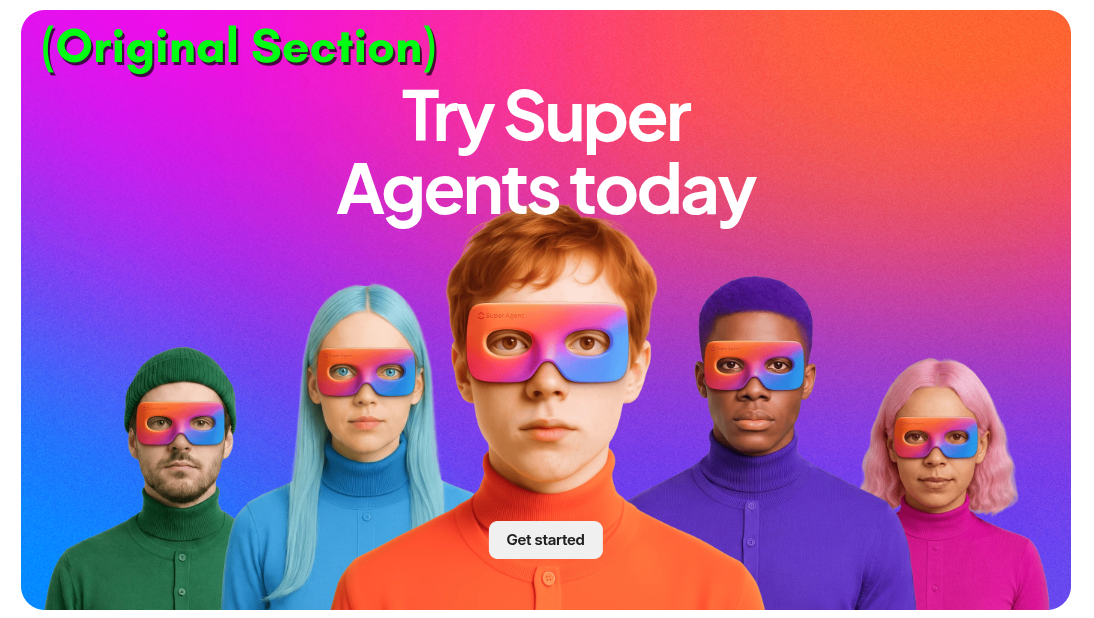
Try Super Agents today
End of Landing Page
Landing Page Strategy Overview
The thinking and research behind the marketing-segmented Super Agents page.
Identifying the Opportunity
Before writing a single line of copy, I needed to answer one question: what could I contribute to ClickUp that
doesn't already exist, but fits naturally within their existing marketing strategy?
I noticed that ClickUp already segments their product pages by audience like marketing teams, HR, IT, and others
under their Solutions tab.
These pages tailor the core ClickUp value proposition to specific team needs and workflows. But when I looked at AI
Super Agents, that level of segmentation hadn't happened yet. There was only one page that was beautifully designed
and well written, but built for a general audience. For a marketing team evaluating whether Super Agents could work
for their specific use case, that general page risked feeling abstract, or not quite relevant enough to drive a
purchasing decision.
So my project became building the marketing-segmented version of the AI Super Agents page. Not a rewrite of
something that already existed, but a new page in the spirit of the segmentation ClickUp was already doing well.
Research Process
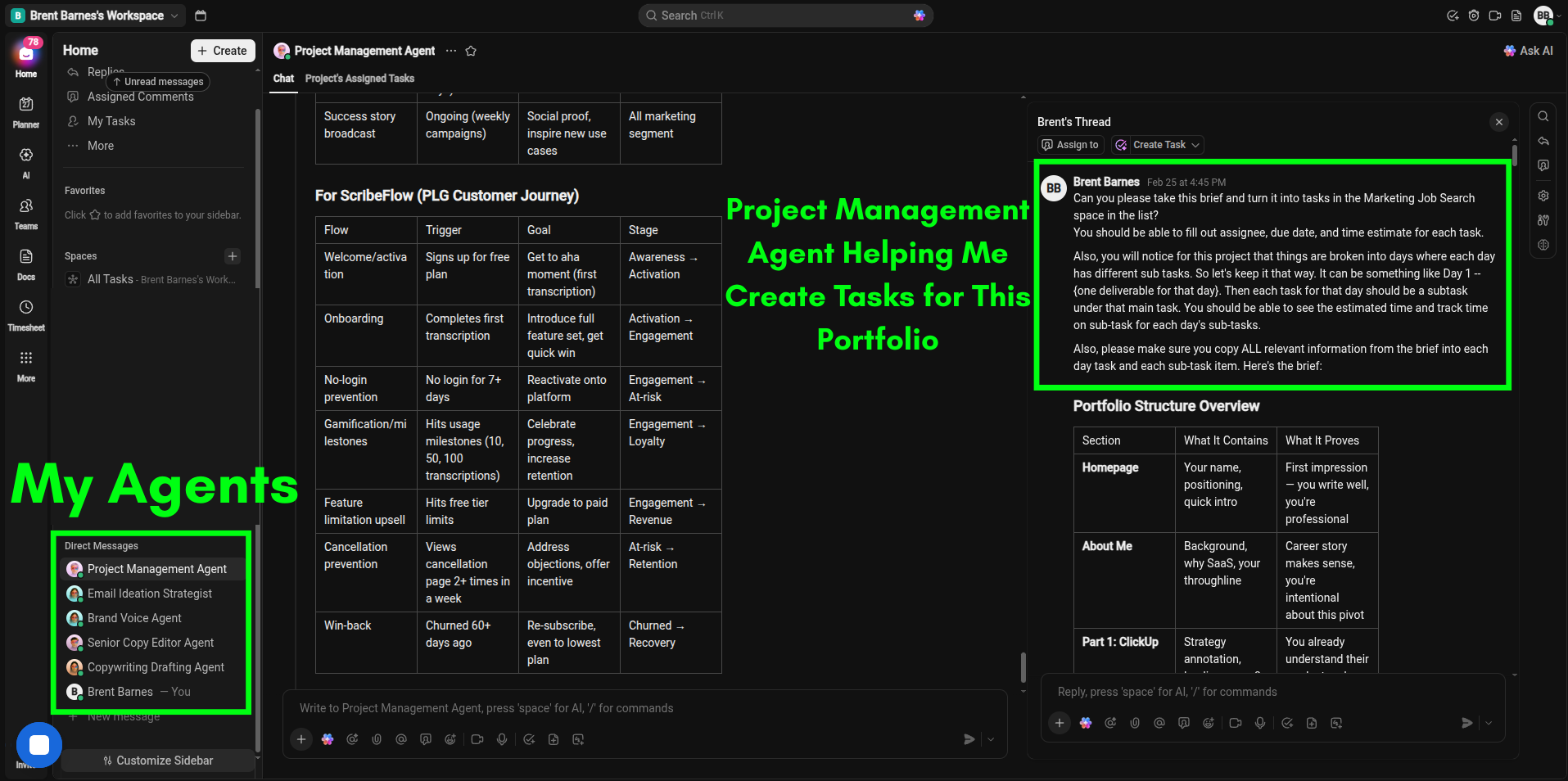
I started with the AI Super Agents product itself. I read through the AI Super Agents landing page, then went
deeper into ClickUp's customer-facing documentation and how-to articles to understand the features at a functional
level, not just how they were marketed. Then I made my own ClickUp account and built agents myself. I created and
tested a project management agent, a content ideation agent, a first-draft copywriting agent, a senior copy editor
agent, and a brand voice agent.
Getting hands-on with the product was highly informative and fun! I needed to understand what these agents could
realistically do before I could write about what they could do for marketers specifically.
From there, I shifted to audience research. I studied ClickUp's ideal client profile (ICP), their company size and
revenue, and the typical roles found in marketing departments at that scale. For each role (Head of Marketing,
Demand Generation, Content and Creative, Marketing Operations), I researched their day-to-day pain points and the
language they actually use to describe them. I also mapped their likely objections to AI adoption, the competing
solutions they'd be evaluating, and the transformation they'd want from a product like this. I also researched the
broader AI adoption landscape in marketing specifically, since many teams have been burned by AI tools that promised
automation but delivered generic output and created more work than they saved.
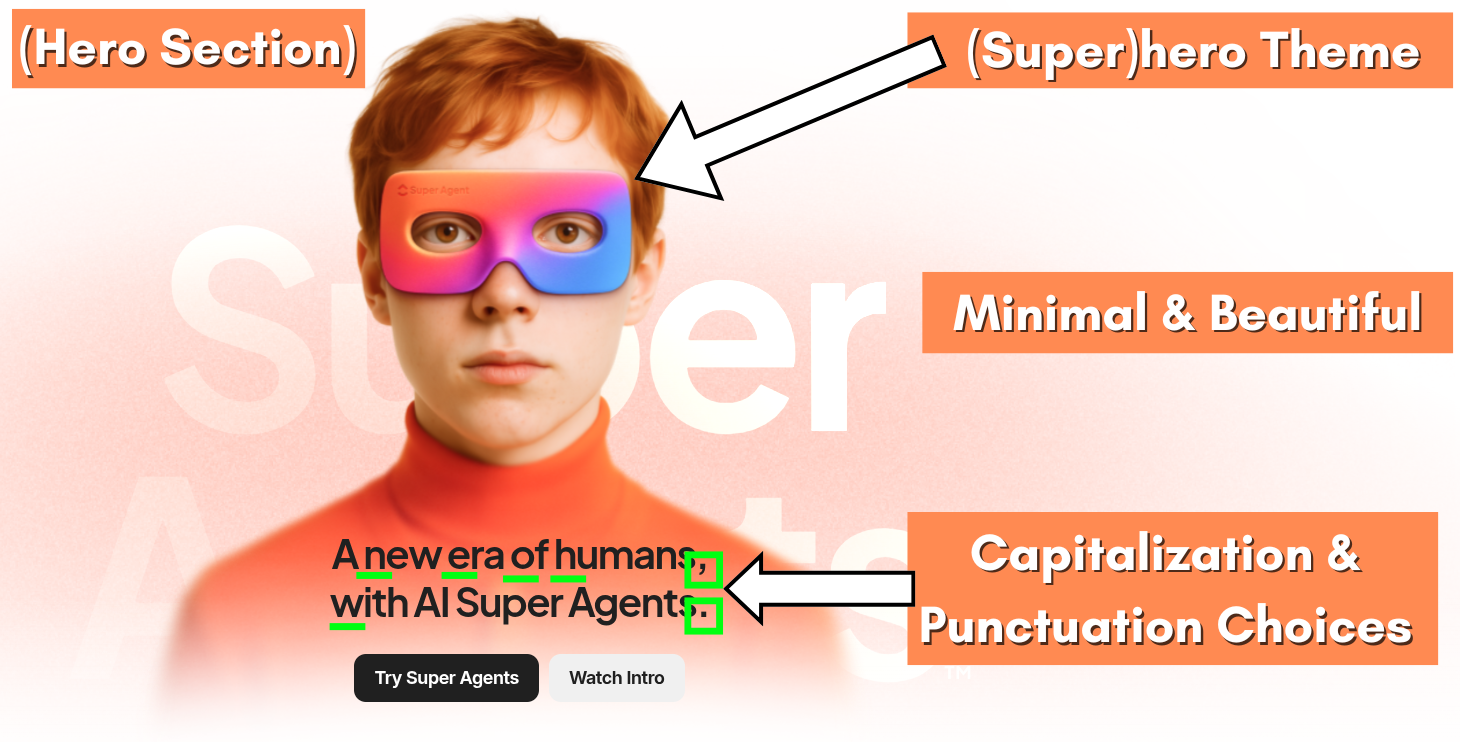
The final layer was brand voice. I audited ClickUp's existing pages and documented patterns in capitalization,
punctuation, sentence structure, personality, branded terminology, and overall tone. I wanted the segmented page to
feel native to ClickUp's site as if it had always been there instead of an outsider's interpretation.
Throughout this process, I used AI tools alongside my own manual research to cast a wider net and validate my
findings. I see AI as a research accelerator that lets me go broader and deeper faster, while the strategic
direction and creative decisions remain mine.
Key Strategic Decisions
I added two completely original sections to my spec page. These were the sections with headings
"Adoption vs. Adaptation" and "Campaign Chaos, Handled." These were driven by a specific question, "What does
this avatar need to hear before they'll even consider the product features?" Marketing leaders evaluating AI tools
carry real skepticism. They've tried tools that created more work, generated generic output, or required their
team to learn an entirely new system. The Adoption vs. Adaptation section addresses that objection head-on by
reframing ClickUp's approach as fundamentally different from competitors. Campaign Chaos, Handled names their
daily pain points specifically enough that the reader feels understood before we ever pitch a solution.
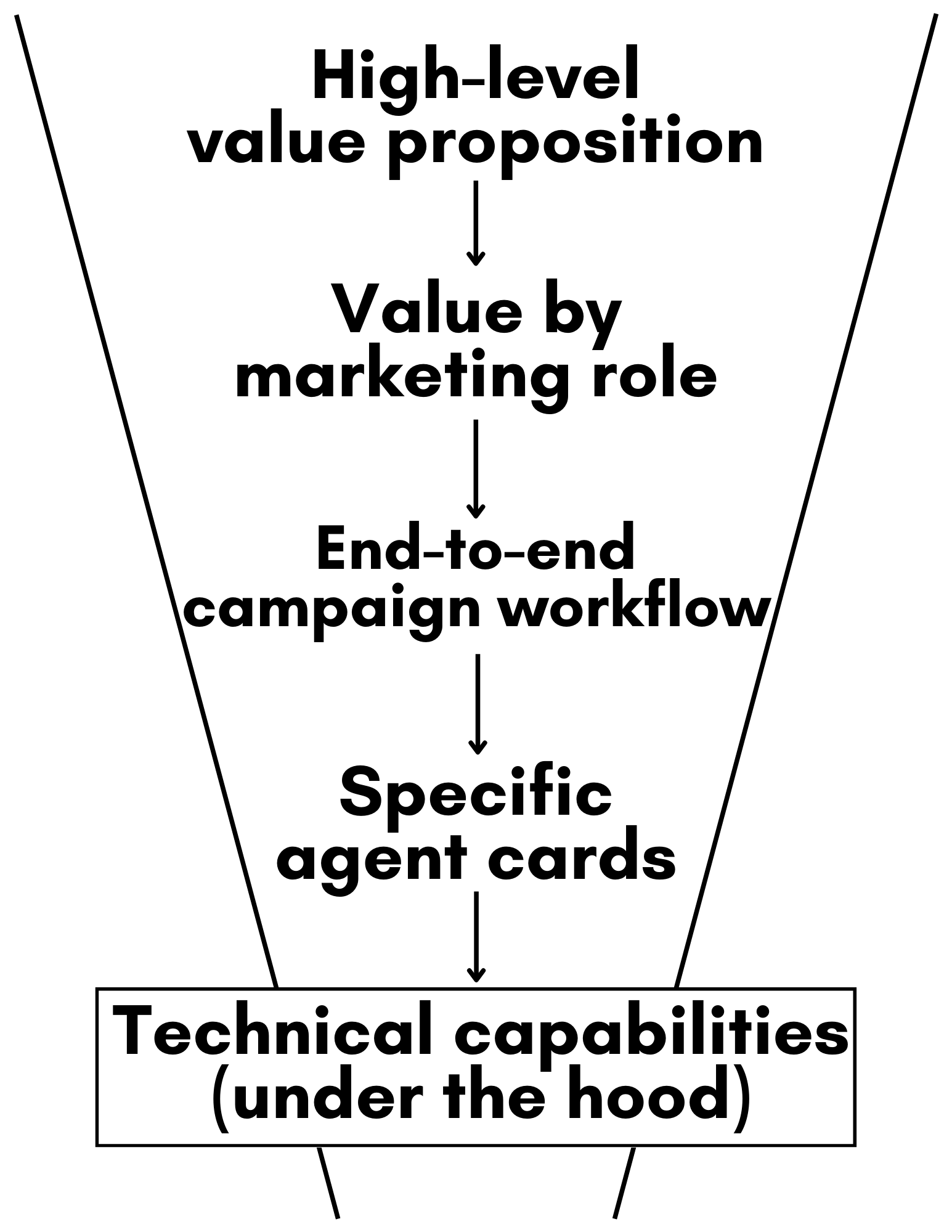
I decided the sections would go from broad to specific. The page intentionally narrows in
specificity as the reader scrolls. Here's the simplified flow.
The thought process: first make them believe this is for them, then show them how it works at every level, and
lastly, make it easy to start. By the time they reach the example marketing agent cards, they're not evaluating
whether Super Agents are relevant to marketing, they're evaluating which agents they'd deploy first.
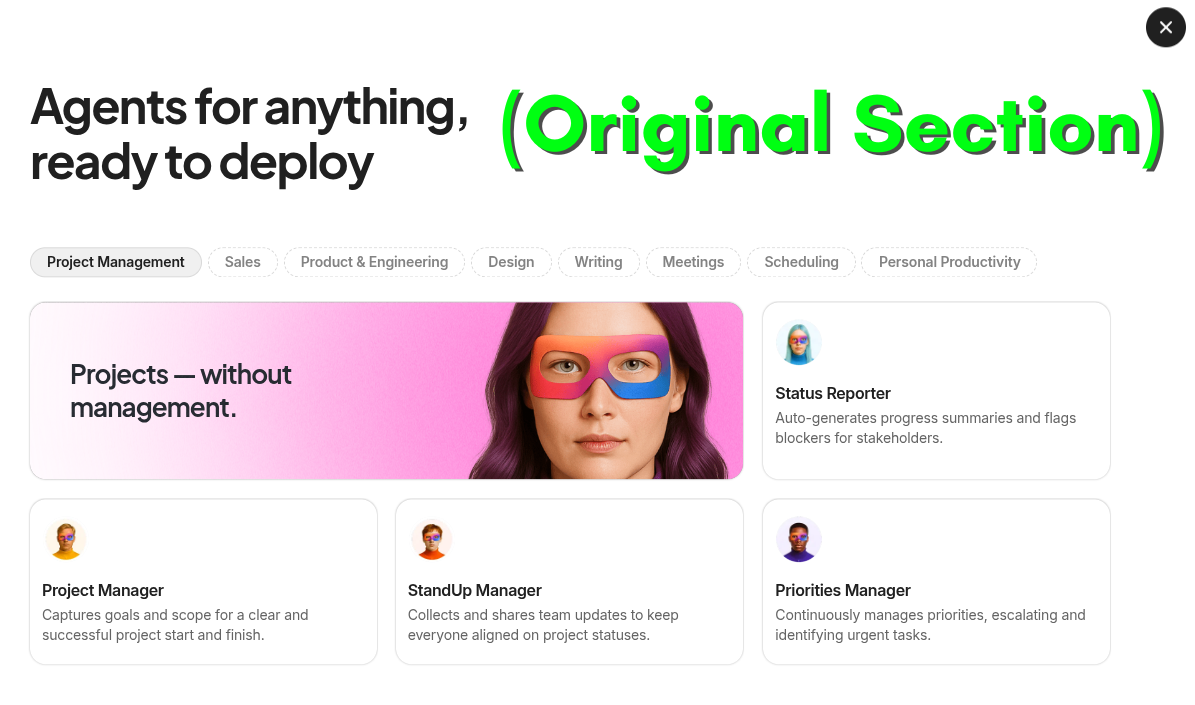
I invented a broad range of hypothetical marketing-specific agents. The general Super Agents page
showcases agents organized by broad categories like project management, sales, and writing.
For the marketing page, I replaced these with agents built around real marketing workflows like the Campaign
Status Agent, Creative Brief Agent, Approval Manager Agent, Launch Health Agent, Weekly Executive Report Agent,
and Brand Voice Writer Agent. Each one was designed around a specific, recognizable pain point that the target
audience experiences regularly. The goal was to make each agent feel immediately implementable, not theoretical.
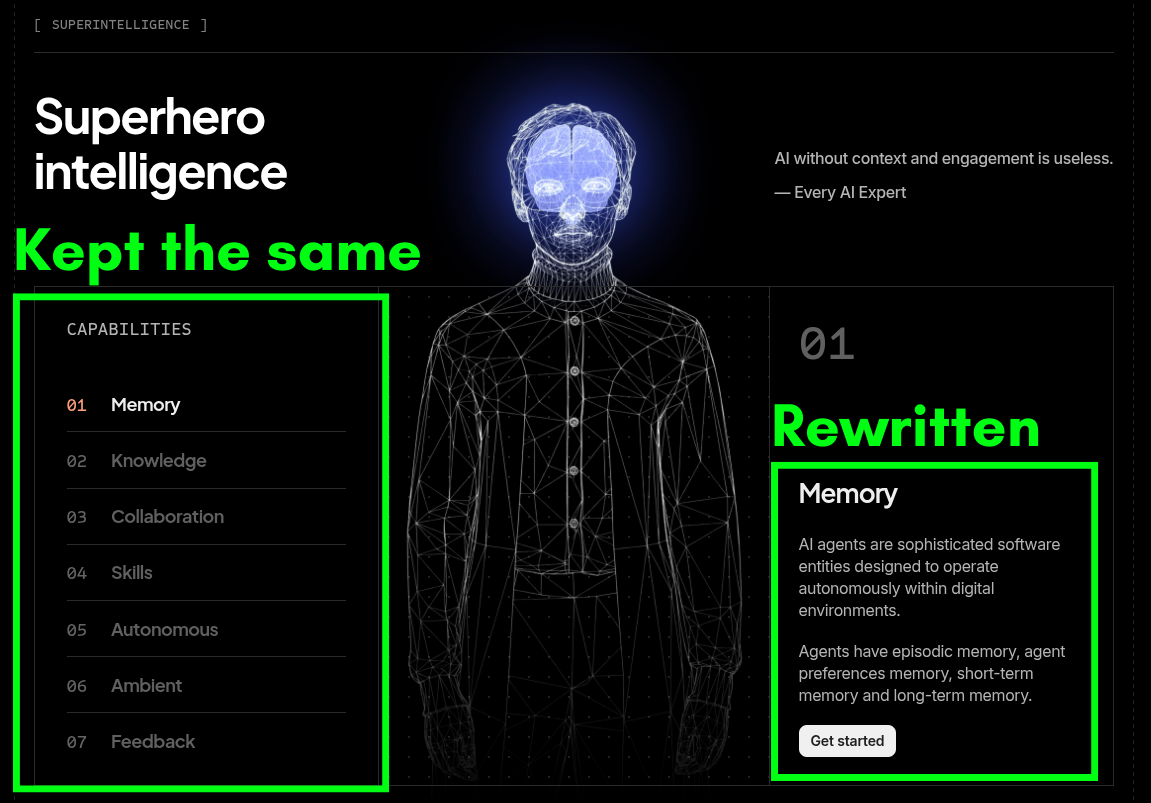
I kept the capabilities structure intact. The general page features seven capabilities: Memory,
Knowledge, Collaboration, Skills, Autonomous, Ambient, and Feedback. I kept all seven because they represent the
core of what differentiates this product. But I rewrote each one to be concrete, benefit-driven, and accessible
to a marketing audience. My goal was to write each in a way that makes a Head of Marketing feel smart and excited
rather than overwhelmed.
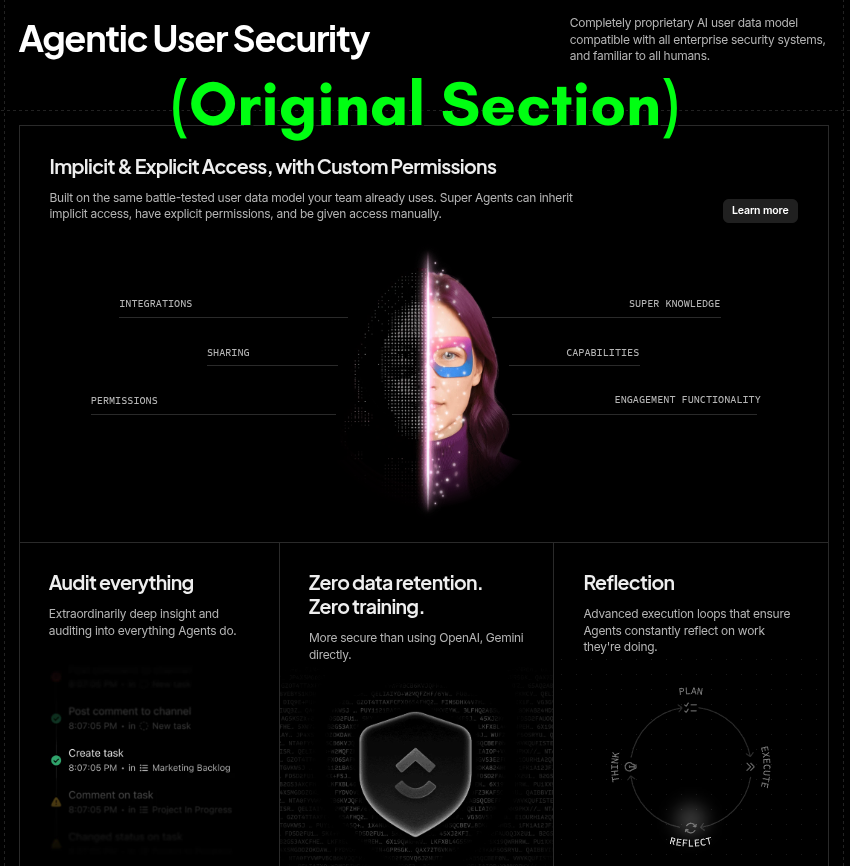
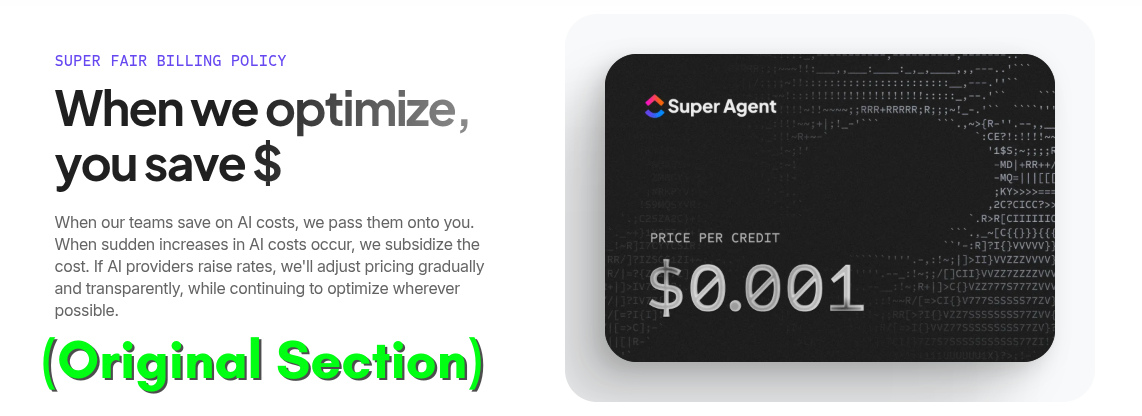
I decided to leave certain sections as they were. I kept the Security section, Billing Policy,
and closing CTA identical to the original (with minor adjustments). Security messaging needs to be consistent
across audiences. Enterprise buyers expect standardized, legal-reviewed language that makes them feel safe here.
Also, the "Super Fair Billing Policy" section appears identically across ClickUp's AI pages, suggesting it's been
carefully approved and shouldn't be modified for segmentation.
Lastly, I wanted the final CTA to stay simple and frictionless. I kept "Try Super Agents Today" over a prompt box
like "Build Your Own Agent" because at the bottom of the page, the goal is reducing friction, not asking the reader
to think.
The Result
A complete, segment-specific landing page that fits naturally within ClickUp's existing site architecture, addresses
marketing-specific objections and pain points, showcases the product through real marketing workflows, and
demonstrates how AI Super Agents would function as teammates within a marketing department's daily operations.
A/B Testing Framework
This page makes a lot of deliberate choices about who it's speaking to, what they already believe when they
arrive, and what it takes to get them to act. Some of those choices are well-reasoned bets. Others are educated
guesses. The only way to find out which is which is to test them.
The four tests below are sequenced intentionally. The first one asks whether this page should exist in its current
form at all. The next ones optimize within that. If run out of order, you risk refining something that hasn't
been validated yet, or worse, declaring a winner that's actually measuring the wrong thing.
A note on metrics before we start: Throughout this framework, each test tracks two types of
metrics. Fast-moving ones like CTA clicks and trial starts that let us conclude tests in a reasonable timeframe.
And the number that actually matters: trial-to-paid conversion, tracked in the background across everything. A
variant that wins on trial starts but produces worse-fit customers isn't a real win. That's the lens every test
below is measured through.
Test 1: Does Segmentation Actually Lift Conversion?
The foundational question
Before optimizing anything on this page, there's a more important question: does a
marketing-specific Super Agents page outperform ClickUp's non-segmented page for marketing traffic?
ClickUp already segments product pages by audience for other features, but Super Agents doesn't have that yet.
That might be an opportunity, but it might also be intentional. A non-segmented page is lower maintenance and
may convert just as well if the value proposition is universal enough. This test answers that with data instead
of assumptions.
Variants
Control: ClickUp's existing non-segmented Super Agents page
Variant: This marketing-specific Super Agents page
What makes this test different from the others is that it shouldn't stop. It should run as a
persistent background test (a holdout) while the other tests below optimize the variant. That's important
because if we change the headline in Test 2 and the segmented page suddenly outperforms the non-segmented
control, we need to know whether segmentation caused that improvement or the headline did. Keeping the
holdout running gives us that reference point throughout the entire testing program.
Metrics
Primary metric: Trial start rate from marketing-sourced traffic.
Secondary metric: Trial-to-paid conversion rate.
What a win tells us: Segmentation lifts both volume and quality.
What a loss tells us: The general page is doing the job. Redirect the resource investment elsewhere.
Test 2: Which Hero Framing Converts This ICP?
Current hero vs. outcome-focused vs. problem-agitation vs. feature/USP
The hero section is the highest-leverage real estate on the page, and right now it's making a specific
creative bet. It's aspirational, superhero-themed, and benefit-forward. That might be right, but it could also
be asking a skeptical marketing buyer to believe a big promise before they've been given a reason to.
Variants
Three angles worth testing against the current control:
Control - Aspirational: "Marketing just got superpowers, with AI Super Agents" tests whether
the aspirational framing is already working optimally.
Framing A - Outcome-focused: "Ship 2x more campaigns without growing your team" Speaks
directly to the business result. Assumes the visitor is goal-oriented and responds to ROI framing.
Framing B - Problem-agitation: "Campaign chaos, handled." Leads with pain before promise.
Earns trust by naming what the visitor is living before selling the solution.
Framing C - Feature/USP: "AI that actually knows your campaigns" This one leads with the
product's most defensible differentiator: Super Agents have infinite context, memory, and knowledge of your
actual work. This framing answers a different objection than the others, "will this actually produce positive
outcomes for my team?" That's a question worth testing directly.
One honest flag: all three variants depart from the superhero theme running through the current
page and broader brand. The variants should flex that theme rather than abandon it, keeping the visual language
intact while letting the headline do different strategic work.
Metrics
Primary metric: CTA click-through rate from the hero.
Secondary metric: Trial-to-paid conversion by framing.
What a win tells us by framing:
Control wins -> the aspirational framing is already doing its job. Focus testing energy elsewhere on the page.
A wins -> the visitor is already sold on AI and just needs a clear ROI hook. Test using more tangible outcomes throughout the rest of the page.
B wins -> pain-first framing earns more trust than promise-first for this ICP. The emotional acknowledgment is doing more work than the hard pitches.
C wins -> quality anxiety is the real barrier, not adoption hesitation. Test using this angle more throughout the page.
Secondary metric: Scroll depth past the hero. This isn't about whether most visitors scroll
because they will. It's about whether any of the variants produce an unusual drop-off rate right at the hero,
which would signal that the headline created confusion or doubt rather than curiosity. That's a different
problem than a low CTA click-through rate, and knowing the difference would inform decisions moving forward.
Test 3: Which Objection Does the Middle of the Page Need to Handle?
Adoption vs. adaptation table vs. context and memory table
The comparison table currently handles one specific objection: "I've tried AI tools and they disrupted how my
team works." That's real. But there's another objection that might be more pressing: "I've tried AI tools and
the output was generic garbage that sounded nothing like us."
Different fears need different answers.
Variants
Control: The current adoption vs. adaptation comparison table
Variant: A comparison table built around the context and memory angle showing how Super Agents
stack up against tools that lack persistent memory and workspace context, making the case that output will
actually reflect your team's voice and institutional knowledge instead of a generic approximation
Metrics
Primary metric: CTA click-through rate among
visitors who scrolled past the hero. This isolates whether the middle of the page is doing its job independently
of what the hero already did.
Secondary metric: Trial-to-paid conversion. If
the infinite context feature angle is attracting better-fit customers, it should show up downstream even if the
primary metric result doesn't agree.
What a win on the variant tells us: The visitor's hesitation is about output quality, not
workflow disruption. Every proof point, testimonial, and feature description on the page should be tested
further with that priority in mind.
What a loss tells us: The adaptation vs. adoption objection is the right one to handle here.
But it's worth testing whether a more conversational version of the same argument outperforms the current table
format.
What an inconclusive result tells us: Both
objections matter roughly equally. Consider addressing both either on the page or through
traffic-source-specific variants.
Test 4: Does Social Proof Close the Gap?
Testing what's currently missing from the page
The page makes significant claims, but nowhere on it does a real marketing team confirm that any of those
claims are true.
Variants
Control: Current page with no embedded customer proof
Variant: Customer pull-quotes and customer-based outcome stats added throughout the page ideally
from named marketing leaders at recognizable companies, placed at points where a skeptical reader would be
asking "okay, but does this actually work?"
Metrics
Primary metric: Trial start rate.
Secondary metric: Trial-to-paid conversion.
What a win tells us: The visitor understands the product but needs peer validation before
acting. That's a content investment signal.
What a loss tells us: The barrier isn't credibility, it's something elsewhere on the page. The
visitor either doesn't fully understand the product yet, or the offer itself needs work.
This test also points at something larger: ClickUp has strong customer video content for
the core product. The
videos in this YouTube playlist
are good examples of what that looks like done well. However, there's no equivalent specifically for Super
Agents yet, and there's no segmented, marketing-specific story anywhere in the product's content library that
I could easily find. A 90-second video featuring a real marketing director talking about what changed for
their team (specific role, specific problem, specific outcome) could likely be the single highest-ROI asset
this page could add. The pull-quote test can be run now with existing materials. If it improves performance,
that data greenlights the investment in creating more high-quality, segmented customer success assets.
A note on what we're actually optimizing for
Trial starts are the fast-moving metric that tells us if something is working. Trial-to-paid conversion is the
metric that tells us if it's working for the right reasons. Both matter and both are tracked across every test
above. The goal isn't more signups. It's more signups that result in conversions.
Email Samples
Three emails from different stages of a Super Agents product adoption lifecycle.
From: ClickUp Team <team@mail.clickup.com>
Subject: AI Super Agents just landed in ClickUp.
Preview: Your campaigns are about to run themselves.
Maximize human productivity
Introducing AI Super Agents
What if your next campaign ran itself?
Not the creative direction, that's still your team.
But all the work around the work, like:
The Monday status updates
The handoffs between content and creative
The post-mortem that always gets skipped.
That kind of work now has an owner, and it's not a human.
AI Super Agents are live
and ready to work inside your ClickUp workspace.
Talk to Super Agents like any teammate: message them, @mention them, assign them tasks, and
they'll get to work using the full context of your campaigns, docs, and goals.
Here's what marketing teams are doing with Super Agents
Campaign Status Agent
Get full health summaries of every active campaign in your workspace every Monday before you even sit down at
your desk.
Your week starts with clarity, not catch-up.
Approval Coordinator Agent
This agent keeps approvals moving. When something is ready for review, the right people get notified. If
someone forgets, the agent follows up.
Stop chasing approvals and ship more work.
Brand Voice Writer Agent
AI that knows your brand. It reads your brand guidelines, past campaigns, and positioning docs, then rewrites
content to match your voice.
Not generic AI output, your team's actual voice, every time.
Super Agents learn from every interaction with your team.
The longer you use them, the smarter they get, so each campaign builds on the last and your marketing engine
compounds.
The result: 2x the campaign output, without growing your team.
From: Grace Dawson <grace@info.clickup.com>
Subject: Your Super Agent is ready. Let's put it to work.
Preview: 3 workflows you can set up in the next 10 minutes.
Maximize human productivity
Hey {{first_name}}!
You've already taken a big step by creating a Super Agent in ClickUp.
Now it's time to turn it into a teammate that actually does work for you every day.
Here are three simple ways to do that in the next 10 minutes.
1. Include it in an automation (no automation builder required)
Just open the Super Agent Builder and tell it, in plain English, what you want it to do and when. The
agent builder handles the tech stuff behind the scenes.
Try something like:
"@SuperAgentName, whenever a task status changes to 'Ready for Review,' notify the assigned reviewer and
post a summary of what changed in the task comments."
2. Turn meetings into action automatically
Your Super Agent can review meeting transcripts, compare them against your current workspace, and make
updates like new tasks, adjusted due dates, and added context so nothing from the conversation gets lost.
Try this after your next team sync:
"Review today's meeting transcript and update our campaign workspace to reflect any new decisions, task
changes, or deadline shifts."
3. Teach it what to watch in the background
In the Super Agent Builder, tell your agent what matters to your team. It'll monitor your workspace
continuously and flag things before they become problems.
Try something like:
"Monitor all active campaigns and send me a DM if any task is within 48 hours of its deadline and still in
progress."
If you'd like help setting these up for your specific workflows, that's exactly what I'm here for!
I'd love to hop on a quick call and build them with you.
(Fun fact: I've set up my own Super Agents to handle my admin work so I'd have more time for calls like these.)
Looking forward to connecting!
Grace
P.S. Not sure where to find the Super Agent builder? Click "AI" in your left sidebar, then
"All Super Agents," then click into any agent to start giving it instructions. Takes about 5 seconds when you
know where to look. :)
Subject: How TrailSync automated busywork and increased morale
Preview: Super Agent Spotlight: "People actually laugh in meetings now."
Maximize human productivity
Super Agent Spotlight
Highlighting companies using Super Agents to transform how their marketing teams work.
Introducing: Sarah from TrailSync
Sarah runs marketing operations for a 14-person team. TrailSync manages three seasonal campaign cycles for an
audience that can smell a hard sell from a mile away.
Their problem wasn't strategy or talent. It was time.
Mornings were disappearing into status meetings. Retros had become something people quietly dreaded. And the
creative work that lights her team up kept taking a backseat.
After setting up Super Agents, the shift was tangible within weeks.
"The biggest difference is people's quality of life at work. Super Agents started handling
the updates, the follow-ups, the data compiling, all the "working on work" admin stuff that was wasting hours
of our days.
Our retros are completely different now. Agents compile the performance data, so the
conversation is grounded in facts instead of memory. People contribute again because feedback doesn't feel
personal anymore.
We actually laugh in meetings now, and the work we do is better for it."
- Sarah Keller, Director of Marketing Operations
Here's the Super Agent System we helped TrailSync build
Meeting-to-Action Pipeline
An agent that turns meeting transcripts into workspace updates automatically. No more manual catch-up after every sync.
Campaign Performance Tracking
Agents that compile performance data across every campaign in real time so patterns become visible and actionable.
Time and Resource Visibility
Agents that track where team energy is actually going, giving Sarah the data to reallocate resources toward their highest-converting channels.
Sarah's story started with a 30-minute call. Schedule yours today.
Email Lifecycle Strategy
The strategic architecture behind a full Super Agents product adoption email sequence.
Super Agents Product Adoption Email Lifecycle
The three emails I wrote for this portfolio are not standalone pieces. They are touchpoints inside a larger
system designed to move marketing teams from first hearing about Super Agents to making them a core part of their
every-day work lives.
What you are looking at is my thinking on what that system could look like. I know real implementation can be more
complex (segmentation, testing, iteration), but this is the strategic foundation I would start from. Four phases:
Awareness and Launch, Activation, Engagement and Deepening, and Expansion and Advocacy. Each phase has a specific
job, and each email is triggered based on either timing or user behavior inside the product.
As you read through, you will see how the triggers shift from time-based to behavioral as users move deeper into
the product, and how each touchpoint is designed to meet the user exactly where they are. The three written
samples are marked so you can find them easily. Everything else is at the strategic level.
I genuinely nerded out building this. Lifecycle architecture is where strategy and writing actually meet, and it is
one of my favorite things to think about. Hopefully that comes through!
PHASE 1: AWARENESS AND LAUNCH
Get marketing teams from "I have not heard of this" to "I want to try this." Three emails that build
anticipation, announce the launch, and give hesitant users enough substance to take a first step.
Email 1a: Pre-Launch Teaser
Trigger: Time-based. Sent 1 week before launch day to all marketing-segmented users.
Goal: Build anticipation so the launch email does not land cold.
Content approach: Visually driven, using Super Agents branding and product imagery to create
hype. Names the product directly: AI Super Agents are coming to ClickUp. Emphasizes that these adapt to your
existing workspace with zero heavy lifting to adopt. Positions early access as a genuine competitive
advantage for marketing teams.
Email 1b: Launch Announcement
Full draft in Email Samples above ↑
Trigger: Time-based. Launch day, sent to all marketing-segmented users.
Goal: Drive awareness and get the first click into the Super Agents experience.
Content approach: Branded announcement with marketing-specific framing. Opens with
transformation ("What if your next campaign ran itself?"), showcases three immediately relevant agents, and
drives to a "Try Super Agents" CTA and segmented landing page. Full email draft available in the portfolio.
Email 1c: Feature Education
Trigger: Time-based. 3 days after launch to users who opened Email 1b but have not created
an agent yet.
Goal: Give interested-but-hesitant users the clarity they need to actually try it.
Content approach: "Here is how Super Agents actually work," framed through marketing use
cases, not technical architecture. Covers the three core capabilities (memory, knowledge, autonomous action)
in terms of what they mean for a marketer's actual day. Key emphasis: this adapts to how you already work.
No overhaul needed. Primary CTA: "Create Your First Agent." Secondary CTA: "Browse Pre-Built Marketing
Agents."
PHASE 2: ACTIVATION
These emails target the gap between interest and action. Maybe someone opened the launch email but never clicked.
Maybe they created an agent but have not put it to work yet. The triggers shift from time-based to behavioral, so
each email responds to what users actually do (or do not do) inside the product.
Email 2a: Behavioral Activation
Full draft in Email Samples above ↑
Trigger: Behavioral. User creates their first Super Agent but has not included it in any
automations within 48 hours.
Goal: Bridge the gap between creating an agent and actually putting it to work and getting the most out of it.
Content approach: Sent from a specific, named team member (not a generic brand address) so
it feels like a real person reaching out. Includes three specific marketing workflows the user can set up
now, each with a copy-pasteable prompt for the Super Agent Builder. Warm, instructional, low-pressure.
Secondary CTA to book a setup call for hands-on help. Full email draft available in the portfolio.
Email 2b: Activation Nudge
Trigger: Behavioral. 7 days after launch for users who have not created a Super Agent.
Goal: Re-engage users who missed the launch, got busy, or are skeptical.
Content approach: The shortest email in the sequence. Does not repeat the launch pitch.
Leads with one single use case that delivers the most immediate value with the least setup. Includes clear
step-by-step instructions that get the user to a working agent in under 5 minutes. CTA drives directly into
the Super Agent Builder with the use case pre-loaded, removing every possible friction point.
Email 2c: Setup Completion
Trigger: Behavioral. User has created an agent and included it in at least one automation.
Goal: Celebrate the milestone, set expectations, and maintain momentum.
Content approach: Brief and congratulatory. "Your first agent is live. Here is what to
expect." Sets realistic expectations: the agent works immediately, but it learns your team's patterns over
time, so what you see in week one is just the starting point. CTA: book a momentum call where the team
listens to your specific needs and helps you figure out which agent to build next.
PHASE 3: ENGAGEMENT AND DEEPENING
The user has at least one agent running. The risk now is that they plateau at basic usage and never discover the
full value. This phase expands their picture of what is possible through social proof, advanced use cases, and
team-wide rollout.
Email 3a: Social Proof Spotlight
Full draft in Email Samples above ↑
Trigger: Time-based. 2-3 weeks after activation for users with at least one active agent.
Goal: Inspire expanded usage by showing what a fully realized implementation looks like.
Content approach: A new email format, the "Super Agent Spotlight," featuring a real
company's transformation story. First half is emotional narrative (a marketing director describing her team's
before and after). Second half is a structured playbook that ClickUp helped them build during strategy calls.
CTA: book a call to start building your team's Super Agent playbook. Full email draft available in the
portfolio.
Email 3b: Advanced Use Cases
Trigger: Time-based. 1 week after the Spotlight email for users with active agents.
Goal: Push active users toward more sophisticated configurations they have not considered.
Content approach: "Three things power users are doing with Super Agents that you might not
have tried." Shows intermediate and advanced use cases that feel like natural extensions of current usage,
not intimidating leaps. Emphasizes that implementing any of these is one prompt away in the Super Agent
Builder. The hard part is not building the workflow. It is imagining what is possible, because the
possibilities are genuinely endless. Each use case includes a one-click way to try it.
Email 3c: Team Expansion
Trigger: Behavioral. Single user active for 2+ weeks with no other team members creating or
meaningfully using agents.
Goal: Drive team-wide usage, because agents get better when the whole team is involved.
Content approach: Agents monitoring a full workspace produce better insights than agents
limited to one person's tasks. Frames team rollout as something that makes the original user's agents better.
Dual CTA: "Invite Your Team" button, plus an option to schedule a call to discuss a painless rollout plan.
PHASE 4: EXPANSION AND ADVOCACY
The team is active, agents are running, and value is being delivered. This phase makes that value visible with
data and creates a natural path toward upgrading when usage grows.
Email 4a: Usage Milestone
Trigger: Behavioral. Agent completes 100 autonomous tasks or has been active for 30
consecutive days.
Goal: Make the value tangible and reinforce that continued usage compounds returns.
Content approach: Data-driven celebration personalized with actual usage data (tasks
completed, time saved, workflows automated). Reinforces the compounding intelligence theme: what you are
seeing now is better than week one, and next month will be better than this. CTA: book a quick check-in to
make sure you are getting the most out of your setup.
Email 4b: Upgrade Prompt
Trigger: Behavioral. User or team approaching plan limits on agent usage or credits.
Goal: Start an upgrade conversation from demonstrated value, not scarcity.
Content approach: Explicitly not a "you are running out" email. Entirely value-forward:
"Your team is getting serious value from Super Agents. Here is what unlocks at the next level." Shows
additional capabilities framed through what the user is already doing. Drives to a sales conversation for
enterprise teams or self-serve upgrade for smaller teams.
Measuring Email Success
Individual email metrics like opens, clicks, and click-through rates are useful for diagnosing whether a specific
email is doing its job. But for a product adoption lifecycle like this, those metrics alone do not give you the
full picture you need to iterate with confidence.
The most impactful success indicators are behavioral changes inside the product. Each phase maps to specific and
informative behaviors:
Phase 1 (Awareness): Agent creation rate.
Are people trying Super Agents for the first time after seeing the launch sequence?
Why this matters: This is the baseline for whether the launch messaging is landing. If open rates
are strong but agent creation is low, people are interested in the concept but the emails are not giving them
enough reason or clarity to take the first step. That tells you the problem is in the bridge between awareness and
action.
Are users going beyond creating an agent and actually including it in at least one automation?
Why this matters: This is the most critical gap in the lifecycle because it is where curiosity
either turns into real usage or quietly fades. Knowing where users drop off here tells you whether the problem is
clarity (they do not understand how to set it up), confidence (they are unsure it will work), or friction (the
process has too many steps).
Phase 3 (Deepening): Team expansion rate.
Is usage spreading beyond the original user to their teammates?
Why this matters: A single user getting value is great, but Super Agents produce significantly
better outputs when they have access to a full team's workspace and activity. If individual usage is healthy but
team expansion stalls, it usually means the original user sees the value but has not been given a compelling
enough reason (or an easy enough path) to bring their team in.
Phase 4 (Retention): Long-term agent activity.
Are teams still actively using agents 30, 60, 90 days later, or does usage taper off after the initial
excitement?
Why this matters: This is where you find out if the product is actually sticky or if the emails
just generated a temporary spike. Declining usage over time signals that users are not discovering enough ongoing
value, which points you toward the engagement and deepening phase to investigate whether advanced use cases and
social proof are doing their jobs.
These behavioral indicators are what allow you to make real decisions. Each metric points you toward a specific
part of the sequence to investigate, and further strategy and lifecycle design from there helps pinpoint exactly
what is not working and how to fix it.





 Maximize human productivity